Platform Governance
Ecommerce platform governance
Assign owners, map apps and customisations, and approve store changes with clear release and recovery checks.
Ecommerce platform governance defines who may change a store, what each change depends on and how the result is checked. Name an owner for important components, keep a decision record and give changes a route from approval to post-release review.
Assign decisions to the people who own the outcome
A merchandising manager may request a product badge, while customer service must explain it and a developer must maintain it. For each material change, name a business owner who approves the intended result and an implementation owner who explains dependencies and the release route. One person can hold both roles in a small team.
Record / Question it answers
- Purpose
- What customer or staff problem will this solve?
- Scope
- Which pages, products, markets or order paths change?
- Dependencies
- Which theme, app, integration or supplier is involved?
- Approval
- Who accepts the result and who can release it?
- Recovery
- What can be reversed, and what needs separate reconciliation?
Keep a current map of the store
Record the live theme, important customisations, installed apps, sales channels, connected services and their owners. Include the reason each addition exists and the work that would stop if it were removed.
On Shopify, Settings > Apps shows installed apps and details such as billing, extensions and permissions. Some integrations appear under Sales channels.
For a WooCommerce store, the WordPress Plugins screen is one place to review plugins, but it is not a complete record of supplier accounts or external services. Reconcile it with invoices, deployment notes and the team's change records.
Update the map when an app is installed, a theme changes, an owner leaves or a trading process changes. Give unknown components an investigation owner.
For Shopify apps, the about page also exposes scheduled pricing changes and usage-charge details, including current spending, the spending limit and when the usage cycle resets. Include relevant cost changes in the component owner's review so an app's ongoing charges are not treated as fixed.
Give changes a route to live trading
Classify a request by what it can affect. A product-description correction may need an editor's check. A discount app may affect checkout and billing. A theme code change needs someone who can inspect and maintain the code.
Agree the expected result and where it can be checked. Decide who releases it and who watches the store afterwards.
Shopify permits previews of unpublished themes. Products and other admin-managed content remain separate from theme-specific settings and code, so inspect the draft theme with the products and app functions the store uses.
For eligible Theme Store updates, Shopify can add an updated version to draft themes. WooCommerce advises a current backup and staging checks before updates, including product pages, cart, checkout, payments, shipping and order emails.
Use the merchant's trading calendar to avoid discretionary releases when a fault would be difficult to detect or resolve. Record promotions, dispatch cut-offs and the availability of staff and suppliers. An urgent defect or security fix may need prompt action with a narrow scope and an explicit check afterwards.
For WooCommerce, a monthly update cadence is suggested for most stores, covering WooCommerce, WordPress, extensions and themes. Check the WooCommerce Advisories page and changelog, and bring an update forward if it includes a security fix or resolves broken functionality the store depends on; an agency or developer should follow a similar cadence.
Keep evidence of what changed
Close a release record with the version or update applied, the checks completed and any issues that still need an owner. For Shopify themes, the admin shows version numbers for published and draft themes and indicates when an update is available; release notes can describe what the update contains.
Shopify app records can also inform change review: an app's about page includes its activity history, privacy details and compatibility issues, as well as its extensions and functions. Use those details to check whether a proposed change affects a dependency or needs a separate owner.
For WooCommerce, compare the update set tested on staging with the one applied to production after checks pass. The WooCommerce changelog and Advisories page identify release notes and security notices, providing context for why an update was made.
Key Governance Metrics for Ecommerce Stores
- App Usage Charges (Monthly)
- Track via Shopify app 'About' page; includes current spend, limit, cycle reset
- Theme Version History
- Available in Shopify admin; shows published and draft versions
- WooCommerce Update Frequency
- Recommended monthly for core, WordPress, extensions and themes
- Security Fixes Priority
- Bring updates forward if security-related or resolve broken functionality
Review additions as well as failures
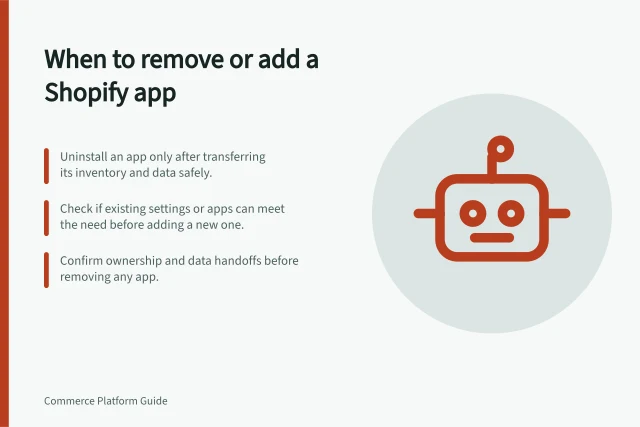
When someone proposes another app or customisation, define the missing outcome first. Check whether an existing component can meet it, then compare any unique work and dependencies. Low visible use alone is not a reason to uninstall an app: it may run an order or inventory process in the background.
For Shopify app removals, consult Shopify's uninstall guidance. Record the decision and owner; previous app settings or data might not return on reinstallation.
End each review with a decision: keep with an owner, simplify, replace, remove after dependency checks, or investigate. Record unresolved questions so the next change does not depend on guesswork.
In this guide
- Maintaining an inventory of installed store appsBuild an app register for purpose, ownership, connections and billing, then reconcile it with store and supplier records.
- Reviewing unnecessary storefront customisationsFind theme and app customisations, judge the customer task they serve, and remove unneeded work through a controlled change.
- Scheduling platform changes around trading periods safelyUse a trading calendar, change scope and available support to choose release windows and check the store after each change.
- Deciding when to remove an app rather than add another oneDecide whether to keep, reconfigure, replace or remove a store app after checking its unique work, dependencies and data.