Platform Selection
Part of Ecommerce platform scalability
Comparing API limits across platform plans
Compare Shopify, BigCommerce and WooCommerce API limits using the right quota units and current plan names.
Compare API limits by estimating the work each integration must do, then match that work to the exact API family, store plan and quota unit. A larger published number helps only if it applies to the connector’s requests and leaves room for other work at the same time.
Inventory the calls
Ask each supplier which API and endpoints its connector uses, how many records one call handles, when jobs run and how retries work. Separate stock, orders, catalogue jobs and reporting. Shopper-facing traffic belongs in its own API assessment.
| Workload | Figure to obtain | Operational consequence to check |
|---|---|---|
| Stock feed | Requests or query cost per update cycle | Delay to saleable availability |
| Order export | Work per new or changed order | Delay to fulfilment |
| Catalogue job | Records, batches and execution window | Incomplete publication |
| Reporting | Calls during its scheduled run | Competition with trading feeds |
Use the busiest plausible period, including a concurrent catalogue change. Ask whether the connector batches records, uses webhooks or polls repeatedly; those choices change its demand.
Keep API families and units separate
Shopify GraphQL Admin API measures calculated query points. Its bucket belongs to an app-and-store combination.
Shopify documents restore rates of 100 points per second for its Standard tier, 200 for Advanced Shopify, 1,000 for Shopify Plus and 2,000 for Shopify for enterprise (Commerce Components). A single query cannot exceed 1,000 requested points, regardless of plan.
Array inputs have a separate 250-item maximum. Check the app’s requested and actual query costs, rather than counting each HTTP request as one point.
Shopify’s Storefront API has a different rate limit from the Admin API. The 2026-04 reference says the limit is based on the IP address making the request; for requests made by the documented library, that is the server’s address. Do not use the Admin API restore rate as a storefront capacity figure.
BigCommerce REST APIs consume request units shared by apps accessing a store. The developer page still uses the older labels Standard, Plus and Pro, listing 150 requests per 30 seconds for Standard and Plus and 450 for Pro. BigCommerce’s 2026 plan update renames these Core, Growth and Scale respectively.
A Performance account or special contract needs its actual allowance checked. Inspect the proposed account’s rate-limit response headers; a plan rename alone does not prove the allowance available to every resource or integration.
BigCommerce B2B Edition APIs have a separate documented limit of 150 requests per minute across integrations using those APIs.
WooCommerce Store API offers optional rate limiting, disabled by default. When enabled, its documented default is a maximum of 25 requests per 10 seconds, and the limit can be changed.
Its separate checkout control can be enabled for the Checkout block and Store API place-order flow; when enabled, it allows a maximum of 3 requests per 60 seconds.
These are configurable protection controls on an installation, not universal WooCommerce hosting-plan quotas. Obtain the host’s and implementer’s limits for the API route the connector actually uses.
API Rate Limits Across Ecommerce Platform Plans (Australia)
- Platform & API Family
- Shopify GraphQL Admin API (Standard Tier)
- Rate Limit
- 100 query points per second
- Max Query Cost Per Request
- 1,000 points
- Array Input Limit
- 250 items
- Platform & API Family
- Shopify GraphQL Admin API (Advanced Shopify)
- Rate Limit
- 200 query points per second
- Max Query Cost Per Request
- 1,000 points
- Array Input Limit
- 250 items
- Platform & API Family
- Shopify GraphQL Admin API (Shopify Plus)
- Rate Limit
- 1,000 query points per second
- Max Query Cost Per Request
- 1,000 points
- Array Input Limit
- 250 items
- Platform & API Family
- Shopify Storefront API
- Rate Limit
- IP-based (server address for library requests)
- Note
- Not based on Admin API restore rate
- Platform & API Family
- BigCommerce REST API (Core Plan)
- Rate Limit
- 150 requests per 30 seconds
- Plan Name Change
- Formerly Standard/Plus
- Platform & API Family
- BigCommerce REST API (Growth Plan)
- Rate Limit
- 150 requests per 30 seconds
- Plan Name Change
- Formerly Standard/Plus
- Platform & API Family
- BigCommerce REST API (Scale Plan)
- Plan Name Change
- Formerly Pro
- Platform & API Family
- BigCommerce B2B Edition API
- Rate Limit
- 150 requests per minute
- Scope
- Across all integrations using B2B APIs
- Platform & API Family
- WooCommerce Store API (Default)
- Rate Limit
- 25 requests per 10 seconds
- Configurable
- Yes (disabled by default)
- Platform & API Family
- WooCommerce Checkout Control
- Rate Limit
- 3 requests per 60 seconds
- Scope
- For Checkout block and place-order flow only
Key API Performance Metrics for Australian Ecommerce Platforms
- Max Query Points (Shopify Standard)
- 100/sec
- Max Query Points (Shopify Plus)
- 1,000/sec
- Requests per min (BigCommerce B2B)
- 150
- Default Store API Limit (WooCommerce)
- 25/10 sec
- Checkout Flow Limit (WooCommerce)
- 3/60 sec
Calculate headroom and choose a route
Put scheduled calls on a timeline. For Shopify Admin GraphQL, use query-cost and throttle data. For BigCommerce REST, count requests across apps sharing the store quota and check response headers. Allow for retries and manual work, and state assumptions beside the result.
If essential updates would be delayed, ask whether the connector can batch, move a non-urgent job, use an appropriate bulk route or replace polling with events.
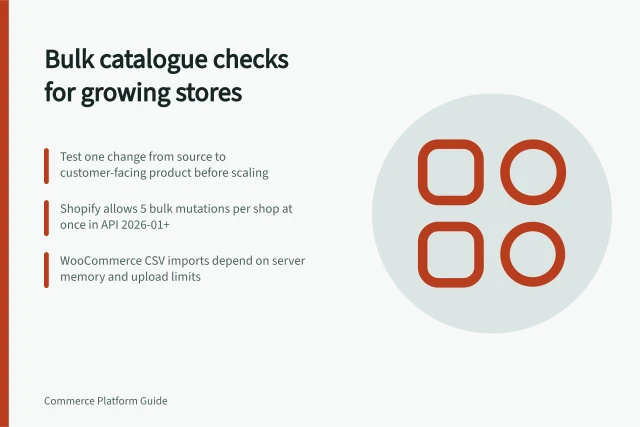
Shopify’s asynchronous bulk mutations have separate file-size, runtime and concurrency limits, so they are not an unlimited substitute for live updates.
Request logs or a demonstration from the proposed configuration, then decide whether essential changes finish within the business’s acceptable delay and can recover after throttling.
Scheduled API Call Workload Assessment Timeline
- Step 1Inventory API Calls — Identify endpoints used by suppliers (stock, orders, catalogue, reporting)
- Step 2Map Workload to Quota Units — Determine request cost (Shopify), request count (BigCommerce), or config (WooCommerce)
- Step 3Use Peak Demand Periods — Include concurrent catalogue changes and high-volume sales periods
- Step 4Account for Retries & Manual Work — Add buffer for failed calls and admin interventions
- Step 5Check Response Headers — Verify actual limits via X-RateLimit-Limit and X-RateLimit-Remaining headers
- Step 6Assess Headroom — Ensure essential updates complete within acceptable delay times
- Step 7Choose Optimization Path — Consider batching, webhooks, bulk operations, or job re-scheduling